
Description
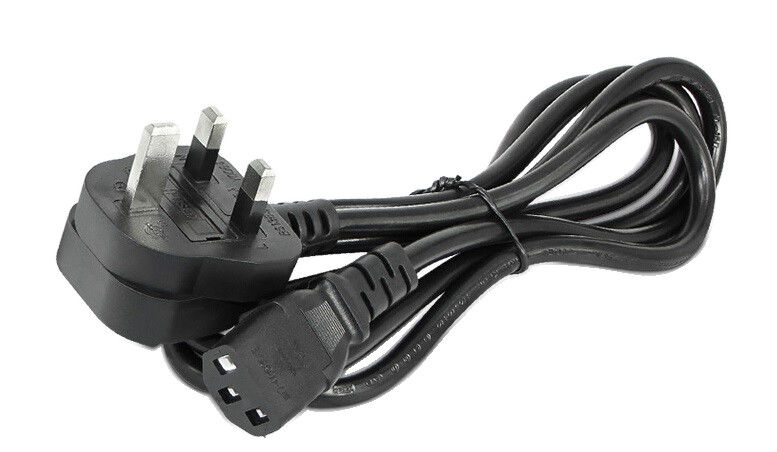
Computer power cable key Components and Features
-
Connectors:
- Wall End: A standard 3-prong plug for a wall socket or surge protector, ensuring proper grounding for safety.
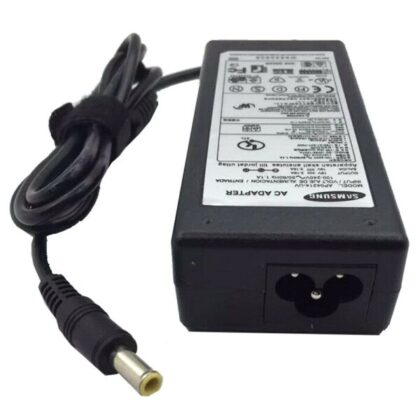
- Device End: A specific connector that matches the power input on the device, commonly a C13 connector for desktops, monitors, and printers, or a barrel connector for laptops.
-
Insulation and Construction:
- The cable is made of high-quality, durable materials, often with a thick PVC jacket.
- It contains metal conductors, insulated to protect against wear and tear and ensure safe power transmission.
- Strain relief protects the cable where it bends, preventing breakage.
-
Cable Length:
Available in various lengths to provide flexibility in placement between the device and the power outlet. -
Voltage and Current Rating:
Cables are rated to handle the specific voltage and current requirements of the devices they are intended for, ensuring safety and preventing overheating.
Types of Computer Power Cables
- Desktop Computer Power Cables: Often use a C13 connector at the device end and a standard 3-prong wall plug.
- Laptop AC Power Cords: Connect the laptop’s power adapter to the wall.
- Monitor and Peripheral Power Cables: Similar to desktop power cords, used for monitors, printers, and other peripherals.
Safety Considerations
-
Grounding:
The 3-prong plug provides essential grounding, preventing electrical hazards. -
Safety Features:
Cables are designed with insulation and strain relief to prevent damage and ensure reliable power flow. - Correct Compatibility: Using the correct cable for a device is crucial; using an incompatible cable could lead to overheating or fire
Reviews
There are no reviews yet.